
Architecture - dispatch-tui - part 12
Your token, please
The dispatcher is the worker bee in the build system. It does all the hard work: It starts build jobs. It monitors the registries. It builds compositions. It publishes completed artifacts. The designer is the dispatcher's best buddy. It handles new proposals, submits changes for review so that the operator can inspect the proposals and the outputs, resolves dependencies, and hands out information to external clients as needed.
None of this would be secure if it was all open and accessible to everyone. And even with TLS enabled, you need to discern between "a casual website visitor" and "the guy who runs it".
So we need authentication
Clearly. But I don't yet want to implement a full account based privilege system just yet. It's overly complicated and it requires doing password or token authentication, and all the pitfalls of that. So I've opted to go with Paseto tokens. These are nothing more than tokens that embed some metadata describing the token itself, and a payload. Together these make for an easy way to implement role-based access.
So now I have to make tokens
Yup. For this there is a token cli command that can be used to create various tokens with different permissions. The tokens could be used to access dispatch-web for instance and perform manipulations of the repo configs, or make changes to recipes, accept designer proposals, reject them, look and modify upstream watcher cues, etc. etc.
Minting a token is straightforward:
$ sudo -u dispatch dispatch token-mint --sub joe --role=admin --name Joe --email postmaster@localhost
dispatch token-mint: role=admin sub=joe expires in 8640000s (100 days; --exp-secs to change)
v4.public.eyJzdWIiOiJqb.....
How do I use these tokens?
There's a few ways. The most obvious one is in dispatch-web, which has an input box to record your token in a cookie, after which the dispatch-web daemon uses the token to authenticate you and if it's the right token, it will grant you permissions to do various things that are neat. You'll find the input form at the top-right of the dispatch-web interface.
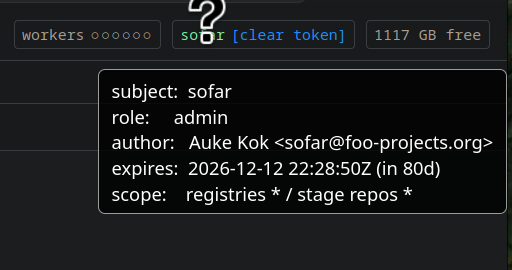
Here's a quick screenshot of my token. Don't worry, I'll keep it a secret, too.
sudo -u what again?
There's quite a few roles defined already. And I can't always fully remember each and every option that the command needs, so I just wrote something around me to make it so that I don't need to remember all this, and can just fill out a neat form. That is going to save me a ton of time. And it has. Each of the internal services that run need their own tokens, so I'm already creating a few tokens here and there regularly.
This grew out into a TUI. The dispatch-tui is the one-stop place where dangerous administrative functions are exposed that should be at arm's length for any administrator. I don't really want to be able to accidentally nuke whole parts of my operational deployment by accidentally clicking "delete" instead of "view" on a web interface. The dangerous stuff however also shouldn't be a hunt for the red october of manual pages describing the precise invocation of a CLI tool.
Behold, the dispatch admin TUI.
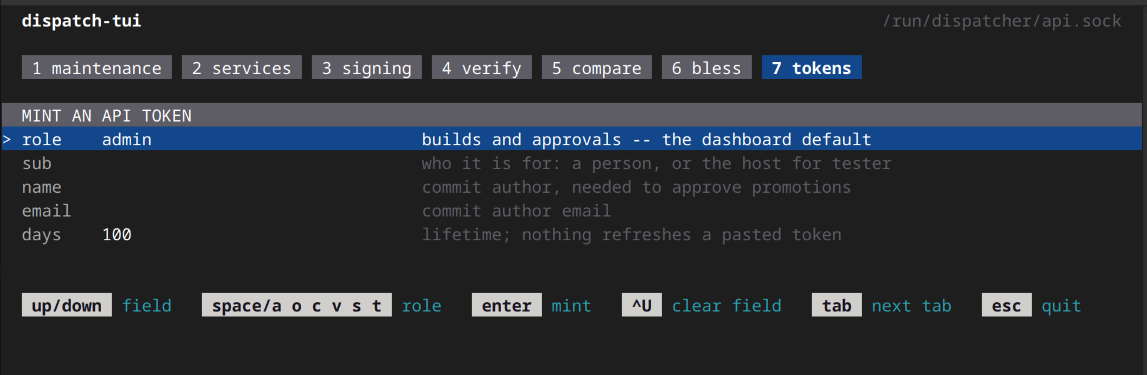
Here's the token mint TAB view of dispatch-tui. Easy enough to see what is needed and what each field represents. Now I can make tokens that are correct without trying it 5x.
Logically, it grew.
As you can see there's 6 more TAB views in the TUI. Each of them represents a fundamental operation that an administrator must be able to perform to maintain e.g. signing keys and other low-level but critical changes. It also is becoming a place where the overall health of the build system and the content itself can be monitored. For instance, there's a verification tool built in that will allow you to validate that the repositories aren't pointing at missing manifests, and that all the sha256 sum values in every toml is correct.
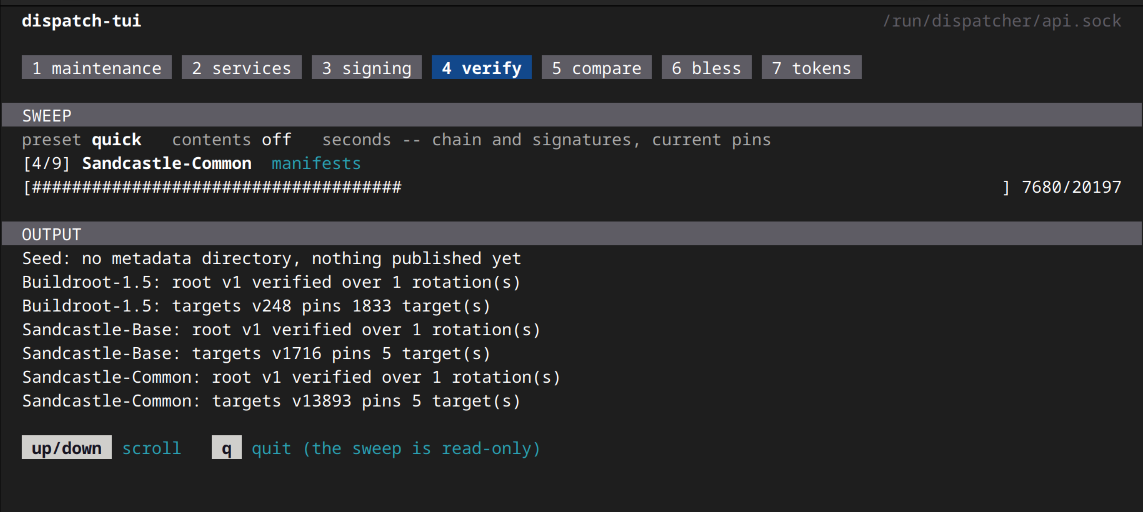
There's a quick mode, a more elaborate pins mode, and then there's a full integrity check walk over everything, that reads every file and checks every checksum.
Making it easy
The dispatch tui can be launched with sudo -u dispatch dispatch-tui from a terminal. It could also run as root but I prefer myself to run it as the dispatcher uid and avoid using the root account altogether, and you could permit this for a non-privileged user through the sudoers file without granting full root access.
In future posts I'll go through some of the other maintenance views and there will be documentation written for all of these, when I get some time to do so :).
--sofar (aka Auke)